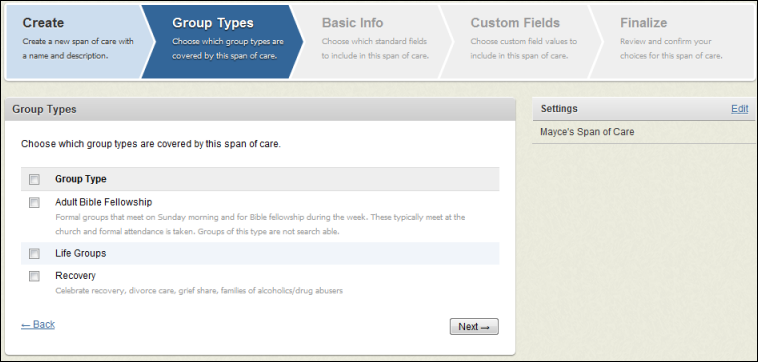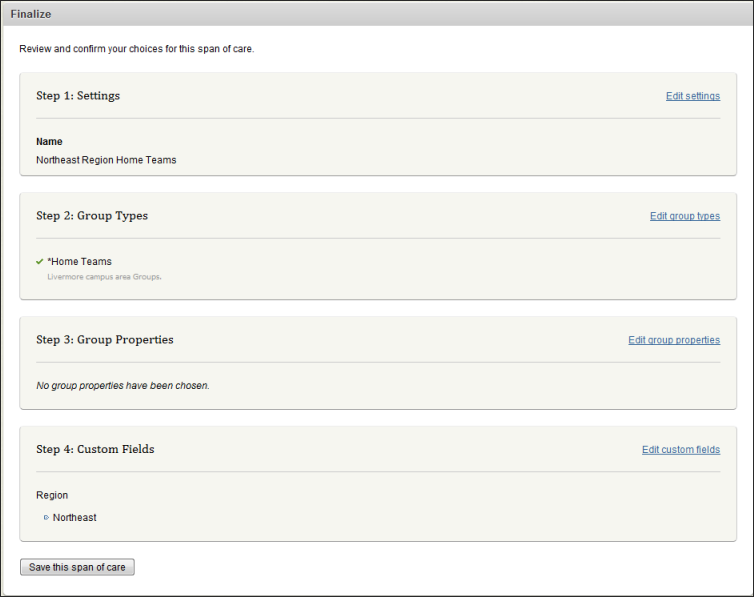
As you have been creating group types and groups, you have probably noticed the concept of Group Types- it's a tool that allows you to create a shared “experience” for leaders and members of groups under that type. Additionally, Group Types allow you to provide the level of security best suited for a particular type.
Another concept in the groups feature is called Span of careA view of groups based on a definition created from group data (such as group type and standard and custom fields). This view enables owners to manage groups that meet the span of care definition.. This feature allows you to define a view into groups based on a definition.
Note: Span of Care is available if your church has the Select or Premier Edition of Fellowship One.
The definition uses the groups data listed below:
This data is used to display groups to owners; even owners that aren’t group leaders or even administrators.
There are many ways to define a span of care. Here are a few common examples:
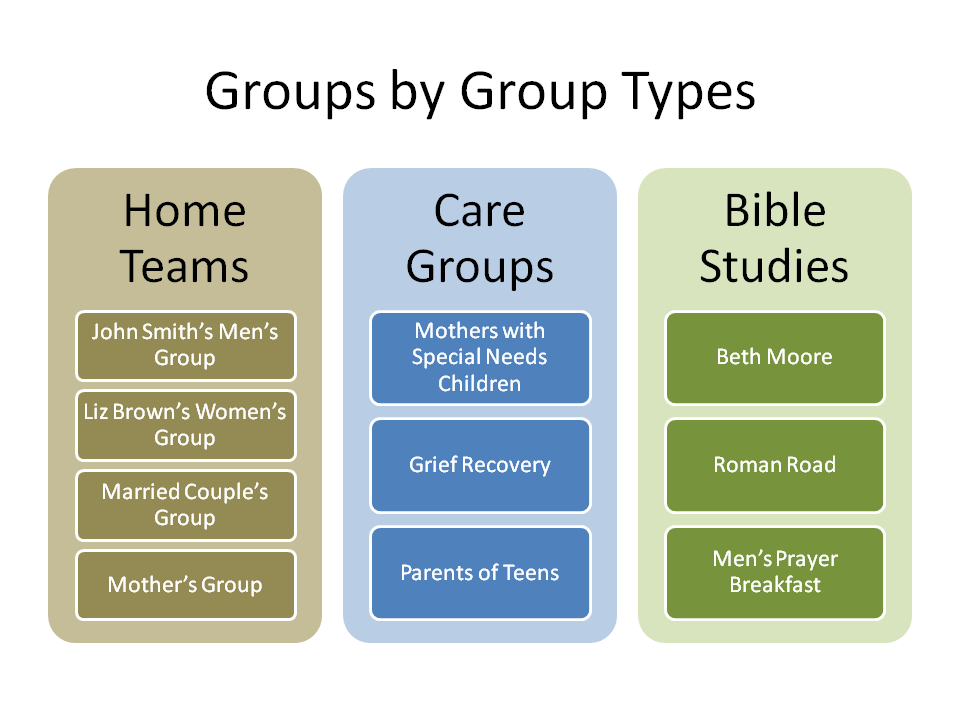
In the following example, we can create a span of care that crosses group types. You will notice in the image below that there are three group types with several groups belonging to each type.
Let's suppose we need to create a span of care for a one that is in charge of all women's groups and their leaders. We need that "owner" to view all groups that are designated for women and span of care allows us to do that.
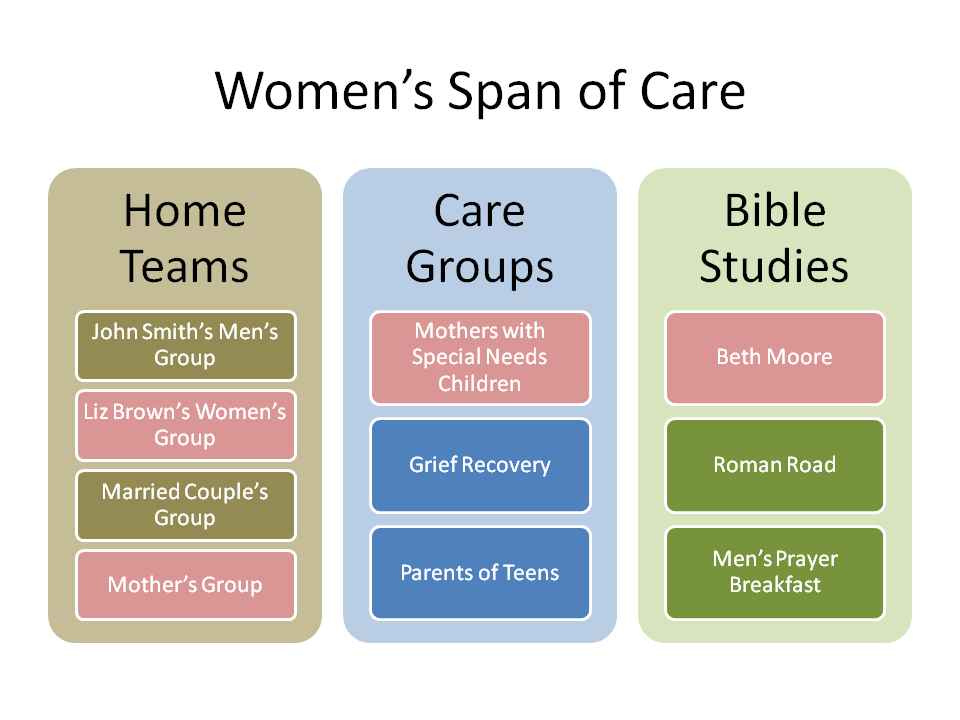
If we want to know details about all the women who are involved in groups (regardless of group type), we can define a span of care specifically for women. When we do this, stats from all groups designated for women roll up into the span of care. As shown below, the women's span of care shows stats for only those groups designated for women only.
In the illustration below, you see that with span of care we've given the owner of the women's groups a view into every group he/she is responsible for regardless of group types (note the groups in pink below denoting women's groups). The great thing is, we didn't have to give the owner a view of ALL groups in ALL group types. With span of care, the owner sees only what he/she needs to see. No more, no less.
In the previous example, we looked at the broad category of women. For many churches, this may be sufficient; however, there are multiple ways to slice this data. You may want to consider an alternate plan. If you need to follow women in care groups, women in bible study groups and women in home teams separately, you can create three different spans of care for these groups. Anyone needing to see women as a whole can be assigned to all three spans of care. It’s simply a matter of defining the span of care by group types, standard/custom fields, etc.
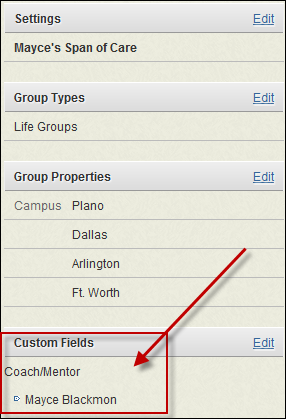
Many churches have a small group hierarchy that has multiple levels of group leaders including group coaches. To make this span of care definition, you will need to create a custom field called "Coach/Mentor" and user choices of all the coaches/mentors for your small groups. In the image below, Bill, Tara and Marie are coaches and mentors. (This example also uses the Area/Region hierarchy described in the following section.)
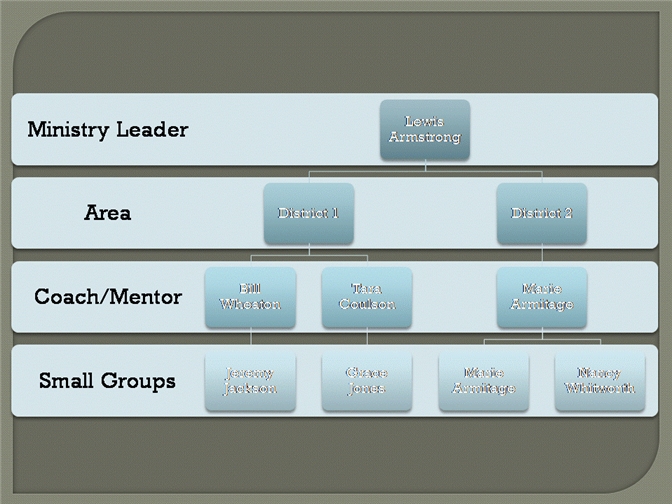
A Coach/Mentor span of care definition can be created for each coach/mentor as shown in the example below.
Another example of span of care is those within a single group type. If you have region or area coaches, you can define spans of care for the different regions. Let's look at an example where the most granular spans of care are Northeast, Northwest, Southeast and Southwest regions. As shown in the following image, you can see icons that represent groups that fall into these regions.
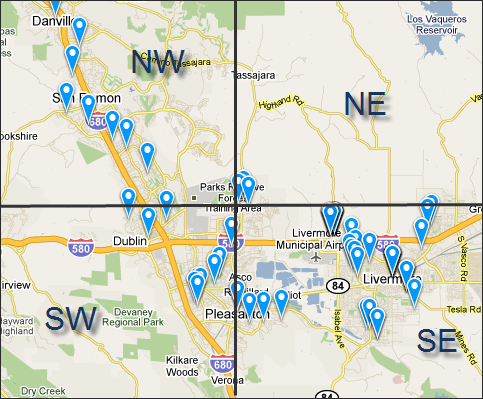
In order for this span of care example to work, each of these groups needs to have a custom field for region applied to the group settings. The Northwest span of care definition will include the Northwest custom field. The Northeast span of care definition will include the Northeast custom field and so on.
Any other users that need to oversee all of the "North" region, will simply be assigned to both the Northeast and Northwest spans of care. Any user needing oversight into the "South" region, will be assigned to both the Southeast and Southwest spans of care.
Tip! When defining spans of care, it's a good practice to try and define the most granular definitions possible. Larger spans of care can be created simply by assigning multiple granular spans of care to a single user.
 Cross Group Types Span of Care definition